752 字 4 分钟
树莓派 Ubuntu 22.04 — Todesk 连接卡 100% 解决方案
🎯 背景
前几天买了个树莓派 🍓,装上了 Ubuntu 22.04 系统。为了方便远程控制,安装了 Todesk。安装一切正常,但在连接的时候——
😱 电脑端进度卡在 100%,而 Ubuntu 上却显示已连接成功。
不知所措之下,又装了 RealVNC Server,结果不显示 UI,安装时还报错。经过一番捣鼓后终于找到问题根源,特此分享 📝
❌ 遇到的问题
1️⃣ Todesk — 连接卡在 100%
连接服务器时,进度始终卡在 100%,但是被控端显示正常被连接。
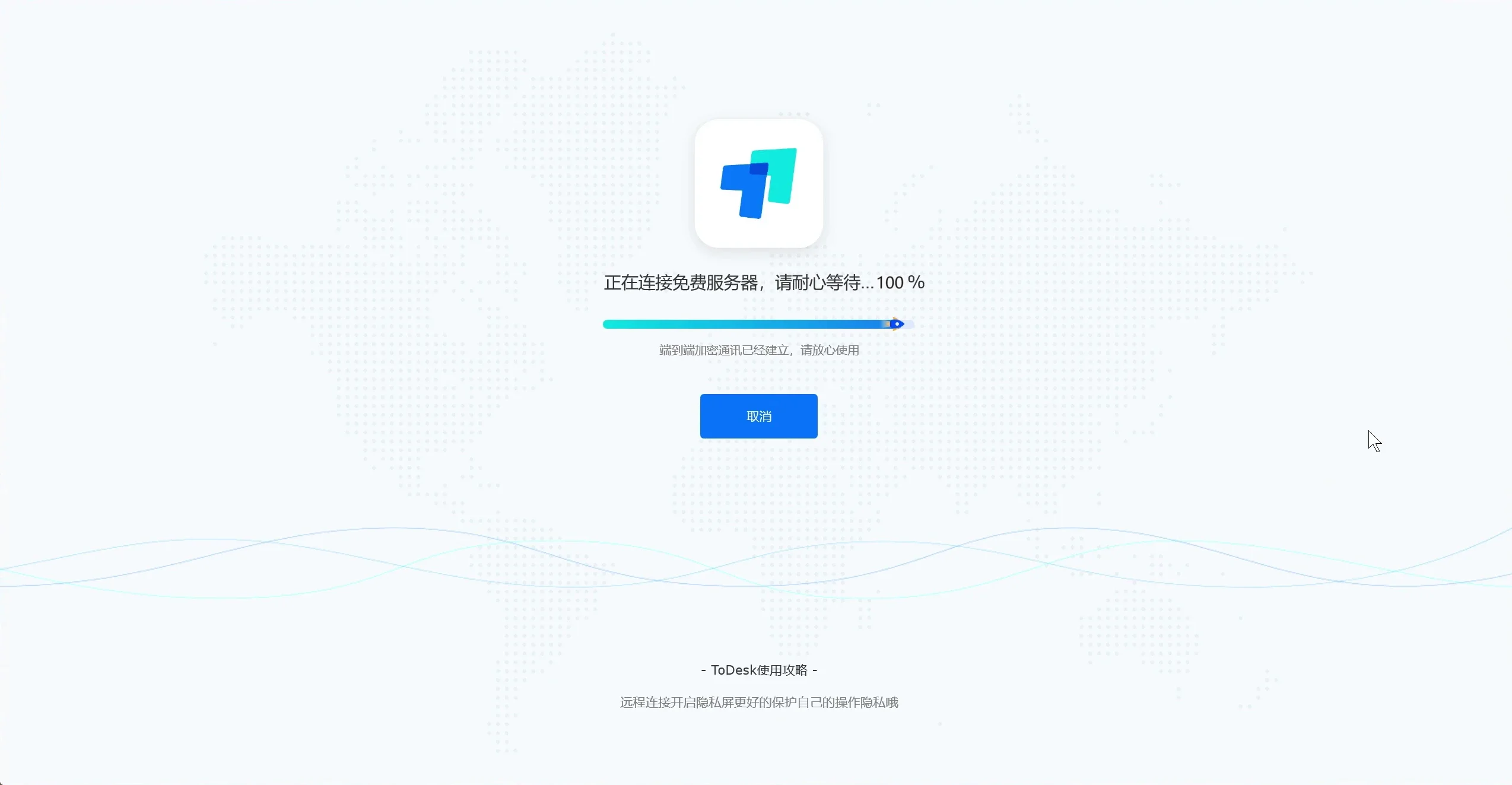
由于复原比较麻烦,图是 P 的,但大概就是这么个事儿 😅
2️⃣ Real VNC Server — 安装后不显示 UI
安装时遇到以下输出:
NOTICE: common configuration in /etc/pam.d contains the following modules: pam_sss.soThe default vncserver PAM configuration only enables pam_unix. See`man vncinitconfig` for details on any manual configuration required.
Looking for font path... /usr/share/fonts/X11/misc,/usr/share/fonts/X11/Type1,built-ins (from xset).Installed systemd unit for VNC Server in Service Mode daemonStart or stop the service with: systemctl (start|stop) vncserver-x11-serviced.serviceMark or unmark the service to be started at boot time with: systemctl (enable|disable) vncserver-x11-serviced.service
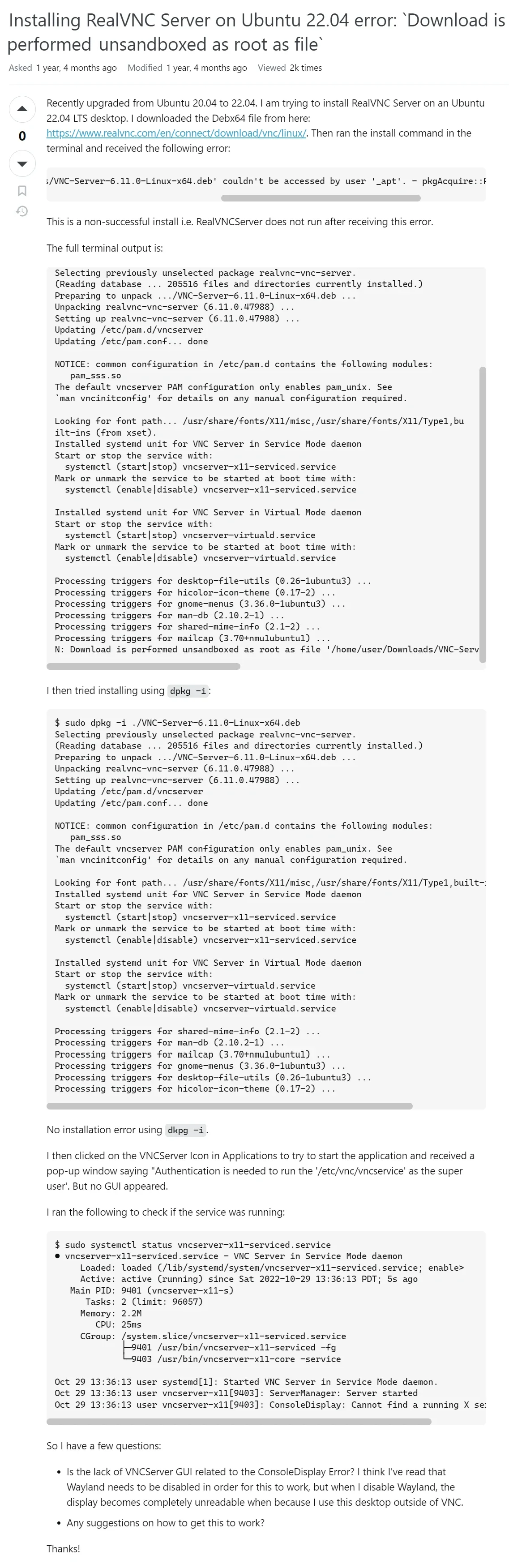
Installed systemd unit for VNC Server in Virtual Mode daemonStart or stop the service with: systemctl (start|stop) vncserver-virtuald.serviceMark or unmark the service to be started at boot time with: systemctl (enable|disable) vncserver-virtuald.service安装是正常安装了 ✅ 但是点击图标时,要输入管理员认证,认证之后就没有任何 UI 显示。就像这个链接里描述的那样:
(虽然估计你打不开,丢一张网站截图在这里 👇)
✅ 解决方案
🧠 根本原因:截止发文时间,Todesk 只支持 X11 协议,没有适配最新的 Wayland 协议。所以我们需要把窗口系统调整为 X11。
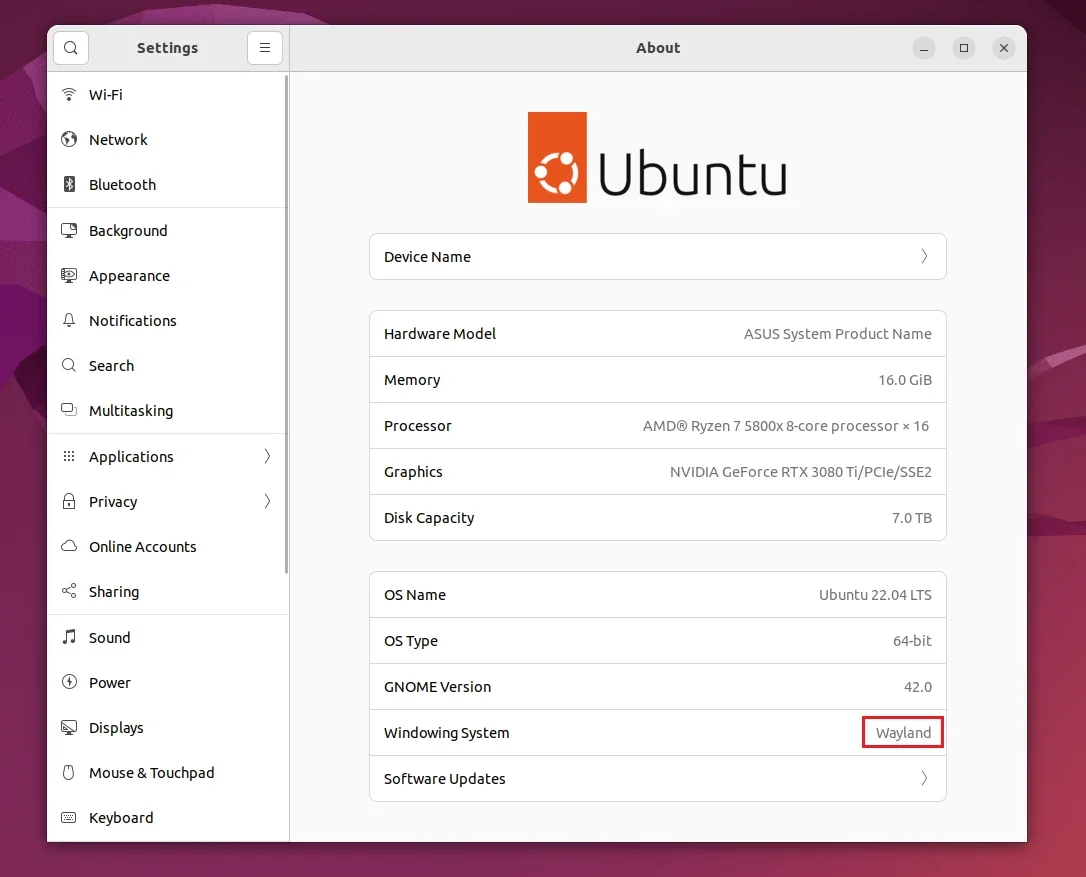
Step 1 ✏️ 修改配置文件,关闭 Wayland
sudo nano /etc/gdm3/custom.confStep 2 🔧 取消注释
找到以下这行,把前面的 # 号删掉:
#WaylandEnable=false⬇️ 改为:
WaylandEnable=false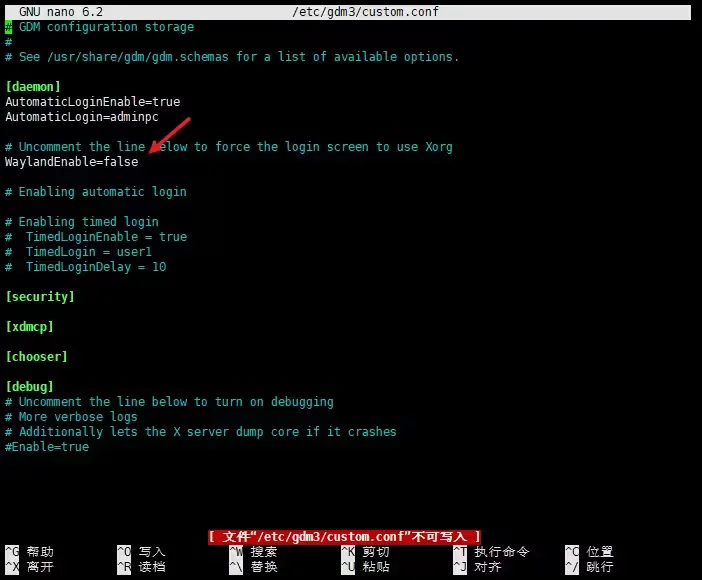
Step 3 💾 保存退出
按 Ctrl + X 离开,提示是否保存时输入 Y 回车保存。
Step 4 🔄 重启系统
reboot🎉 重启完成,以上两个问题都被解决!
💡 总结
所以说如果你的 Todesk 进度也卡在了 100%,十有八九是因为图传的问题(比如解码编码出了状况),而根源就是 Wayland 与 X11 的不兼容。
📖 附 1:背景知识 — X11 与 Wayland 区别
| 维度 | X11 | Wayland |
|---|---|---|
| 🏗️ 架构 | 客户端-服务器架构,应用通过 X 服务器与显示器交互 | 合成器-客户端架构,应用直接与合成器交互 |
| ⚡ 性能 | 输出需多次复制转换,性能较低 | 输出直接传递给合成器,性能更优 |
| 🔒 安全性 | 应用可访问整个 X 服务器(含其他应用数据) | 沙箱隔离,每个应用只能访问自己的数据 |
| 🔄 兼容性 | 非常成熟,已被广泛使用几十年 | 部分旧应用不兼容(可通过 XWayland 兼容层运行) |
| 🛠️ 开发难度 | 高级抽象层,开发较简单 | 需要处理更多细节(窗口管理、输入事件等) |
📚 附 2:参考资料
Joey0609 · 2024-03-15
CC BY-NC-SA 4.0https://joey0609.github.io/posts/002_ubuntu_todesk_stuck/ubuntu_todesk_stuck/